
Koharu documentation
An editable manga translation workflow, from your first page to the final export.
Get started
Install Koharu
Download a release for Windows, macOS, or Linux.
Your first translation
Translate one page, review it, and export the result.
Hardware and runtimes
Check GPU support and what Koharu downloads.
Work with pages
Projects and imports
Bring images, archives, and PDFs into one project.
Process pages
Choose the pages and stages you want to run.
Review text
Correct OCR, wording, names, and line breaks.
Clean up artwork
Remove source lettering and repair the image.
Typeset translations
Fit text with fonts, size, direction, color, and border.
Export PNG, PSD, and CBZ
Deliver flattened images, layered files, or a comic archive.
Models and providers
Vision and inpainting
Choose detection, OCR, and image-repair models.
Translation providers
Use local models or connect hosted providers.
Translation settings
Set the model, target language, and system prompt.
Koharu Agent
Set up the Agent
Choose its model and connect outside agents over MCP.
Work with a project
Ask the Agent to inspect pages and make scoped edits.
Developers
Build Koharu
Set up a checkout and run the desktop application.
Architecture
Follow ownership across the UI, scene, and runtimes.
Contribute
Prepare a focused change and a clear pull request.
Get help
Troubleshooting
Diagnose problems and collect useful logs.
Settings
Find the controls for your workflow.
Keyboard shortcuts
Navigate and edit with the default tool bindings.
About Koharu
Koharu keeps source text, translations, artwork, and layout together in a local project. Run a complete translation pipeline or revise an individual stage, then use the canvas tools to finish the page.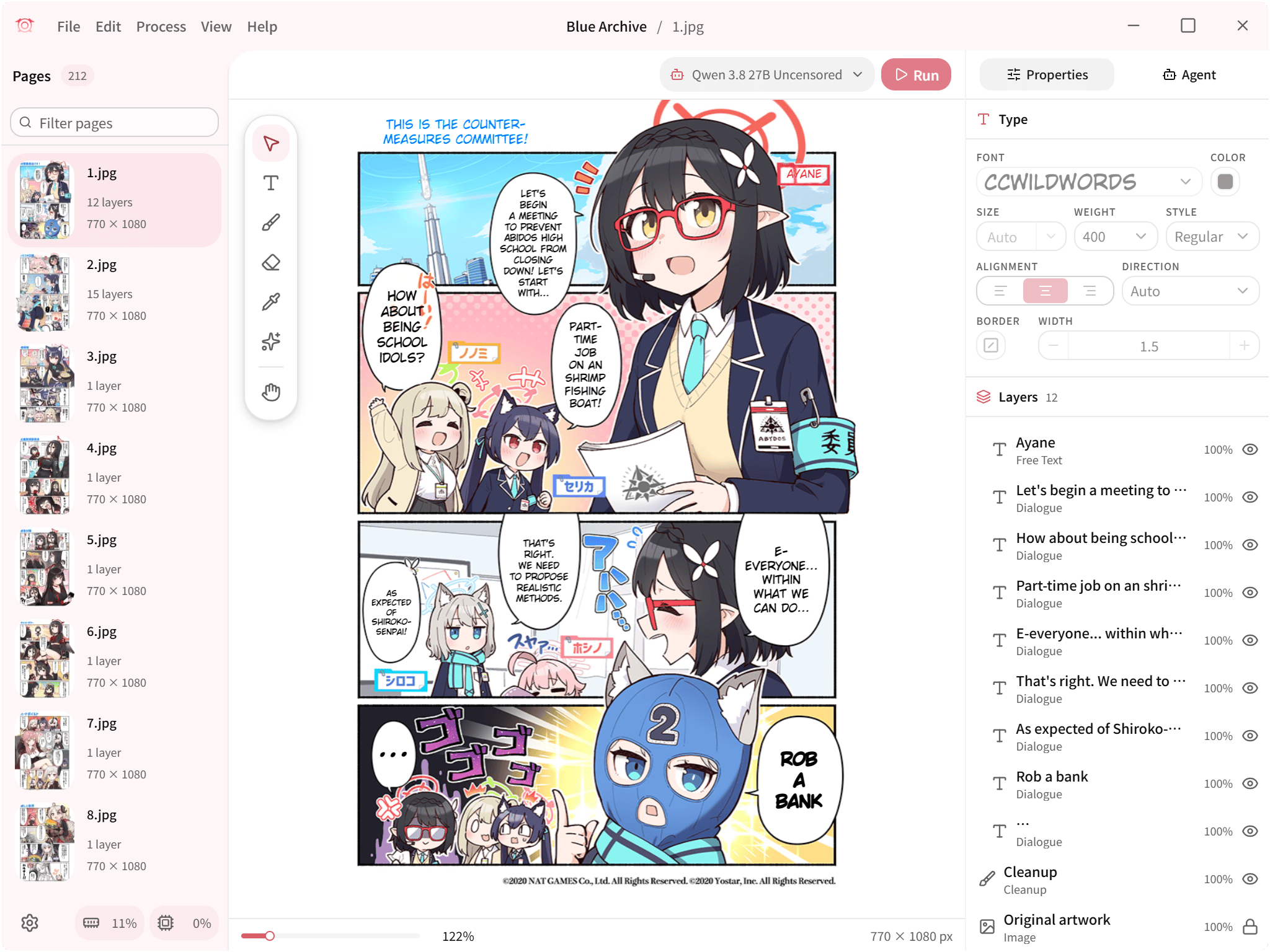
Pages, text properties, and editable artwork in the Koharu desktop editor.
Projects stay on your machine. Hosted translation or generation providers receive the content needed for the requests you send.